Markdown Cheat Sheet: Syntax, Tables, and Live Preview Guide
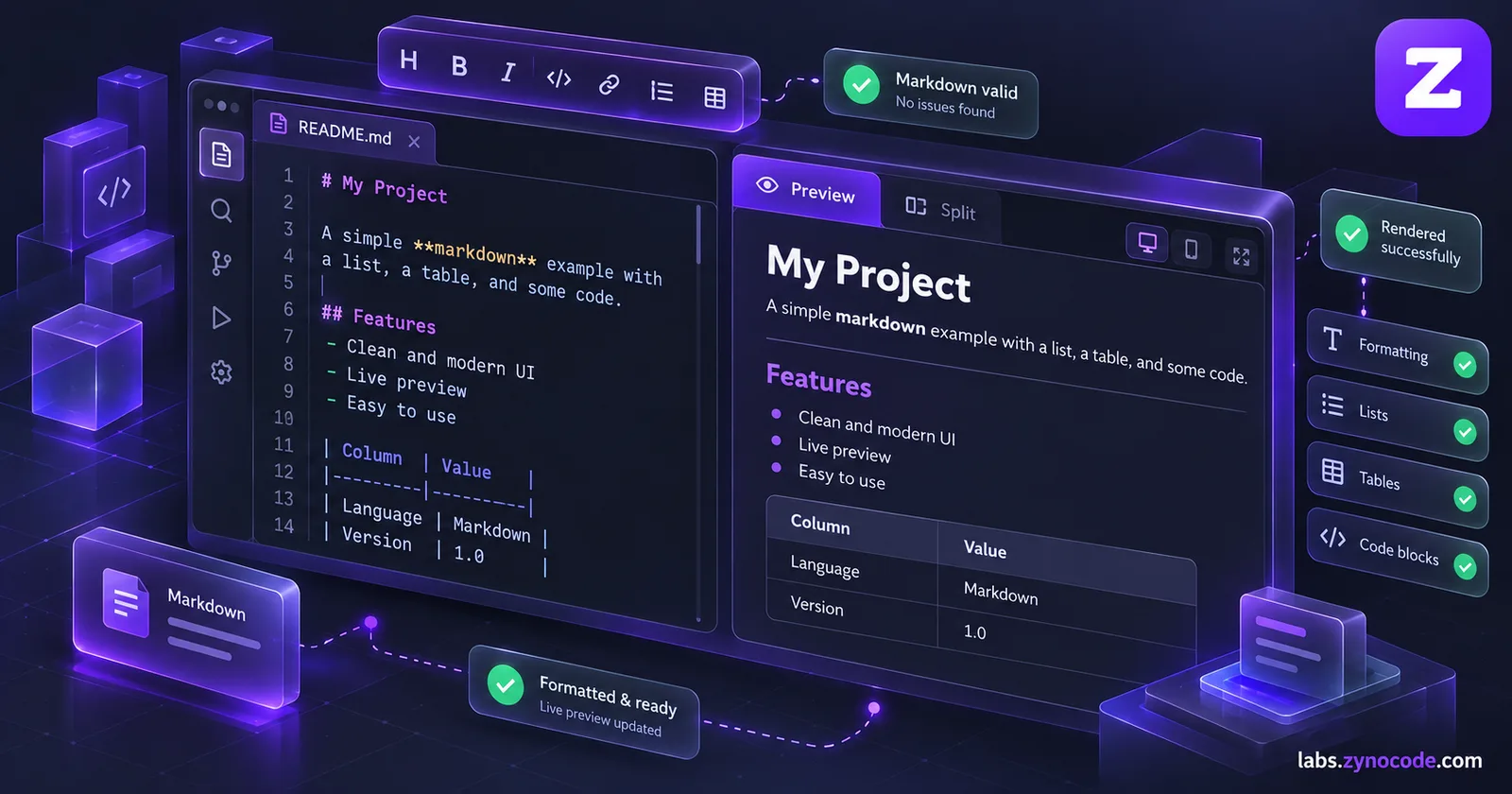
Markdown is a lightweight plain-text formatting language developed in 2004 and standardized by CommonMark, with extensions defined by GitHub Flavored Markdown (GFM). Use hash symbols for headings, asterisks for bold or italic text, hyphens for lists, and pipes for tables. You can test and format your markup using a live preview editor.
Markdown has become the universal writing format for software documentation, static blog engines, developer notes, and README files. Created in 2004 by John Gruber and Aaron Swartz, Markdown allows writers to format rich text documents using intuitive plain-text punctuation. Whether you are drafting notes, documenting code, or preparing web copy, keeping a comprehensive markdown cheat sheet on hand saves time and prevents rendering surprises across different platforms.
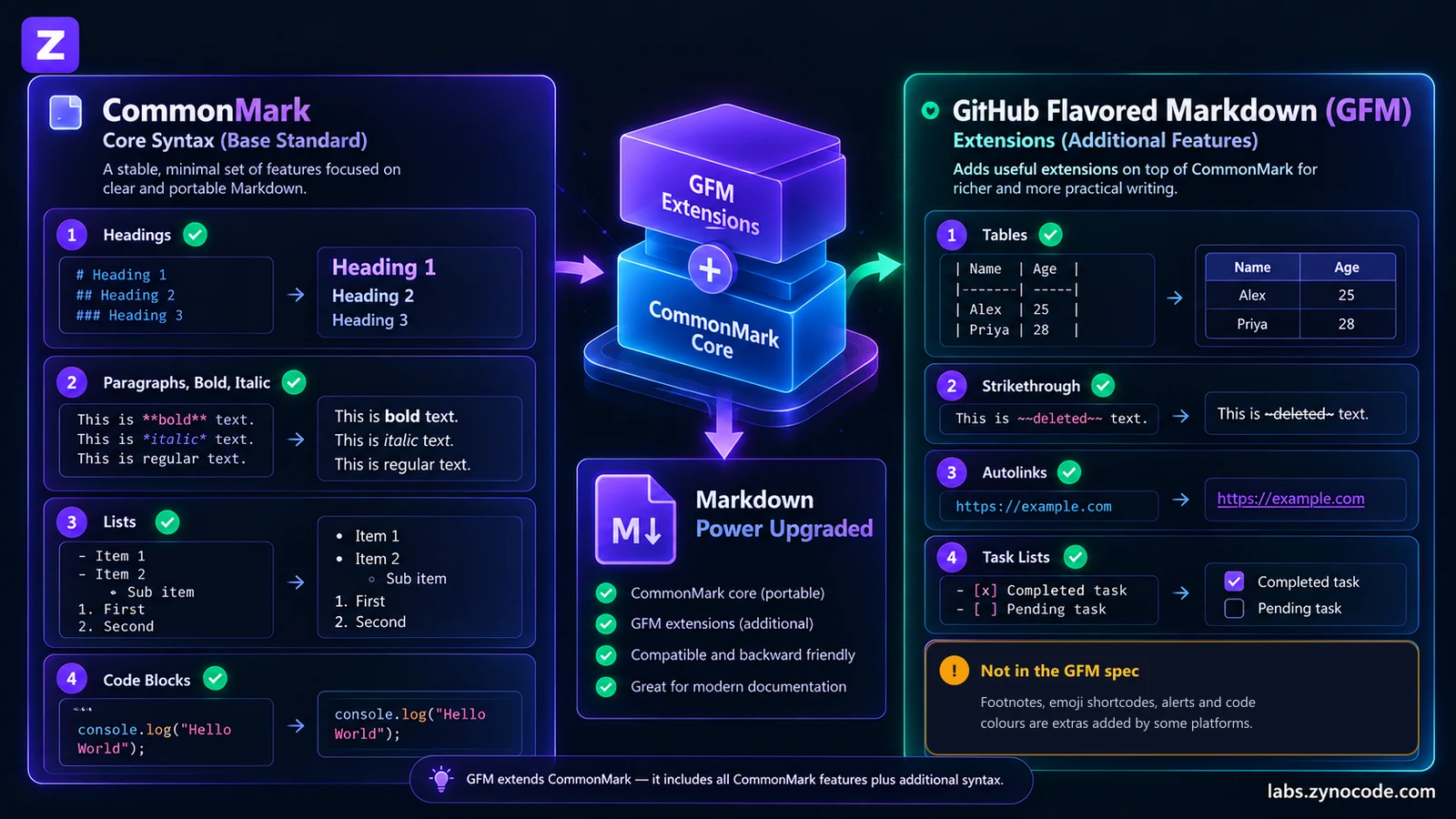
Because Markdown was initially specified informally, different platforms introduced conflicting syntax variations. Today, the modern standard is governed by two complementary specifications: the core CommonMark Specification and the GitHub Flavored Markdown (GFM) Specification.
In this guide, we provide a complete syntax reference, clearly distinguish standard CommonMark rules from GFM extensions, compare platform rendering quirks, report live parsing observations from our Markdown Previewer, and show you how to convert markdown to HTML.
Complete Markdown Syntax Cheat Sheet
The table below summarizes standard formatting rules, distinguishing core CommonMark syntax from GFM-only extensions:
| Syntax Element | Markdown Code | Specification Standard | Rendered HTML Output |
|---|---|---|---|
| Heading 1 | # Document Title | CommonMark Core | <h1>Document Title</h1> |
| Heading 2 | ## Major Section | CommonMark Core | <h2>Major Section</h2> |
| Heading 3 | ### Subsection | CommonMark Core | <h3>Subsection</h3> |
| Bold (Strong) | **bold text** | CommonMark Core | <strong>bold text</strong> |
| Italic (Emphasis) | *italic text* | CommonMark Core | <em>italic text</em> |
| Bold & Italic | ***bold-italic text*** | CommonMark Core | <em><strong>bold-italic text</strong></em> |
| Blockquote | > Quotation line | CommonMark Core | <blockquote><p>Quotation line</p></blockquote> |
| Unordered List | - Bullet item | CommonMark Core | <ul><li>Bullet item</li></ul> |
| Ordered List | 1. Numbered item | CommonMark Core | <ol><li>Numbered item</li></ol> |
| Inline Code | const total = 50; | CommonMark Core | <code>const total = 50;</code> |
| Fenced Code Block | ` python print("hello") ` | CommonMark Core | <pre><code class="language-python">print("hello")</code></pre> |
| Thematic Break (HR) | --- | CommonMark Core | <hr> |
| Link | [Example Site](https://example.com) | CommonMark Core | <a href="https://example.com">Example Site</a> |
| Image |  | CommonMark Core | <img src="/photo.jpg" alt="Alt Text"> |
| Tables | | Item | Price | |:--- | ---:| | Book | 15 | | GFM Extension (Sec 4.10) | <table><thead>...</thead><tbody>...</tbody></table> |
| Autolinks | https://example.com | GFM Extension (Sec 6.9) | <a href="https://example.com">https://example.com</a> |
| Strikethrough | ~~obsolete text~~ | GFM Extension (Sec 6.5) | <del>obsolete text</del> |
| Task List Item | - [x] Completed task - [ ] Pending task | GFM Extension (Sec 5.3) | <ul><li><input type="checkbox" checked disabled>...</li></ul> |
# symbols for headings. Writing #Heading without a space is treated as literal plain text rather than a heading tag.CommonMark Core Syntax vs. GFM Extensions
Understanding the architectural distinction between CommonMark and GitHub Flavored Markdown prevents bugs when moving content between note apps, documentation sites, and code repositories.
The CommonMark Foundation
In 2014, a group of developers led by John MacFarlane, Jeff Atwood, and members of the Markdown community created CommonMark to solve the rampant ambiguity in John Gruber's original 2004 syntax description. The CommonMark spec defines precise parsing rules, with hundreds of worked examples, for core formatting:
- ATX headings (
#through######) and Setext headings (===or---underlines). - Emphasis using asterisks (
*) or underscores (_). - Nested lists (indented by 2 or 4 spaces).
- Fenced code blocks with language identifiers.
- Indented blockquotes and hard line breaks (two trailing spaces or a backslash).
GitHub Flavored Markdown (GFM)
As stated in Section 1.1 of the official GFM specification: GFM is a formal specification based on the CommonMark Spec that defines the dialect supported for user content on GitHub.com. GFM is a strict superset of CommonMark. Every valid CommonMark document is valid GFM.
GFM adds four key syntax extensions:
- Tables (Section 4.10): Column pipes with hyphens and alignment colons.
- Task List Items (Section 5.3): Checkboxes inside list items (
- [ ]and- [x]). - Strikethrough (Section 6.5): Double tildes (
~~text~~) producing<del>tags. - Autolinks (Section 6.9): Recognizing raw URLs (like
https://...orwww....) without square bracket syntax.
Proprietary Platform Features (Not Standard GFM)
Certain features frequently seen on GitHub repositories are application-level post-processing extensions that are not part of the standard GFM spec:
- GitHub Alerts: Blockquotes beginning with
> [!NOTE],> [!TIP], or> [!WARNING]render colored callout cards on GitHub. On standard Markdown parsers, they render as standard blockquotes with literal[!NOTE]text. - Mermaid Diagrams: Code blocks marked ```
mermaid``` render interactive vector flowcharts on GitHub. Standard markdown engines render them as raw text code blocks. - Footnotes: Extended footnote references (
[^1]) are supported in GitHub discussions and Kramdown, but are not in core CommonMark.
Testing Syntax in the Zynocode Markdown Previewer
To evaluate how these rules behave in a production client-side environment, we tested every syntax element inside our Markdown Previewer.
The tool parses Markdown with the open-source marked engine (gfm: true), then cleans the HTML with DOMPurify before showing it, so scripts, event handlers and javascript: links never reach the page:
Markdown Previewer Testing Matrix:
1. Headings (H1 to H6): Rendered as <h1>–<h6>.
2. Bold, italic and strikethrough: Rendered as <strong>, <em> and <del>.
3. Code blocks: Rendered in <pre><code>, with syntax colours for JavaScript, TypeScript, Python, JSON, Bash, CSS, HTML/XML and SQL.
4. Tables: Rendered as <table> with header and body rows.
5. Autolinks: Bare URLs become clickable links.
6. Task lists: Rendered as read-only checkboxes.
7. Images: Rendered, loaded lazily and without sending your page address to the image host.
8. GitHub alerts: Rendered as a normal blockquote with the literal [!NOTE] text.
9. Footnotes: Not rendered; [^1] stays as plain text.
The last two rows show the point of this guide: GitHub alerts and footnotes are not part of the GFM specification, so a standard GFM parser treats them as plain text.
The previewer also has a formatting toolbar (bold, italic, strikethrough, heading, link, code, lists, task lists, tables and code blocks), a word, character and reading-time counter, and buttons to copy the Markdown or the cleaned HTML, or to download either as a .md or .html file.
Platform Differences: GitHub vs. Notion vs. Reddit vs. Obsidian
Markdown engines handle spacing, line breaks, and shortcuts differently. Review these common platform behaviors:
1. GitHub
- Engine: Full GFM with custom post-processors.
- Line Breaks: In issues and comments, a single newline shows as a line break. Strict CommonMark needs two trailing spaces or a backslash for a hard line break, and an empty line for a new paragraph.
- Mentions and Issues: Auto-links
#123to pull requests and@usernameto profile pages.
2. Notion
- Engine: Proprietary block architecture.
- Behavior: Typing Markdown shortcuts (such as
#,*, or[]) converts the line immediately into a Notion visual block. You cannot edit the underlying plain-text Markdown directly. - Tables: Notion uses native interactive databases rather than standard GFM pipe tables.
3. Reddit
- Engine: Reddit's own Markdown flavor.
- Behavior: Supports standard bold, italic, code, and tables. However, Reddit's mobile apps and desktop redesign often handle paragraph spacing and backslash escapes inconsistently compared to CommonMark.
4. Obsidian
- Engine: Extended CommonMark with wiki-link support.
- Internal Links: Supports double-bracket syntax (
[[Note Title]]) for linking notes across a personal knowledge graph. - Callouts: Supports GitHub-style callouts (
> [!NOTE]) with custom collapsible panels.
Writing, Converting, and Publishing Markdown
Follow this practical workflow to take notes from initial drafting to published web content:
- Draft in Split-Screen: Open our Markdown Previewer to write in the left pane while monitoring the live typography rendering in the right pane.
- Check Word Counts: Before publishing articles or documentation, copy your draft into Word Counter to inspect character counts, paragraph density, and estimated reading time.
- Compare Revisions: When collaborating or updating documentation, paste previous and new markdown versions into Diff Checker to inspect changes line-by-line.
- Convert to Clean HTML: When publishing content to a custom CMS, email newsletter, or static website, use our Markdown to HTML converter to generate semantic, sanitized HTML code ready for direct embedding.
Conclusion and Next Steps
Markdown provides the fastest, most portable way to write structured content on the web. By relying on core CommonMark rules for universal formatting and using GFM extensions when targeting modern code platforms, your documents will render consistently across every platform.
To streamline your markdown authoring:
- Test and format your notes live using the Markdown Previewer.
- Export sanitized markup for your web projects with the Markdown to HTML tool.
- Track content length and reading metrics with the Word Counter.
- Inspect line-by-line document edits with the Diff Checker.
Frequently asked questions
What is the difference between CommonMark and GitHub Flavored Markdown (GFM)?+
CommonMark is the unambiguous, standardized base specification for Markdown syntax created in 2014. GitHub Flavored Markdown (GFM) is a strict superset of CommonMark that adds formal extensions for tables, task lists, strikethrough, and URL autolinking.
How do I create a table in Markdown?+
Create tables using pipes to separate columns and hyphens to define the header separator row. Colons set column text alignment: left (:---), center (:---:), or right (---:). Tables are a GFM extension and require an engine supporting GitHub syntax.
Why do strikethrough and task lists fail to render in some editors?+
Strikethrough and task checkboxes are extensions defined in GFM, not core CommonMark. If a platform uses a strict CommonMark parser or filters HTML input elements for security, task checkboxes and strikethrough tags will not render.
Do GitHub alerts and Mermaid diagrams work in standard Markdown?+
No. Blockquote alert callouts and fenced Mermaid diagrams are proprietary post-processing features on GitHub. They do not work in vanilla CommonMark, standard static site generators, or platforms like Reddit.
How do I convert Markdown notes into clean HTML?+
You can parse your document using our client-side Markdown to HTML converter. It generates clean HTML markup with safe link attributes and proper semantic tags for publishing on web pages or documentation sites.

Prashant Sharma · Founder & Technology Strategist
Prashant Sharma is the founder of Zynocode IT Solutions, specializing in web development, SEO tooling and generative AI workflows.