UTM Parameters Guide: How to Track Campaigns in Google Analytics 4
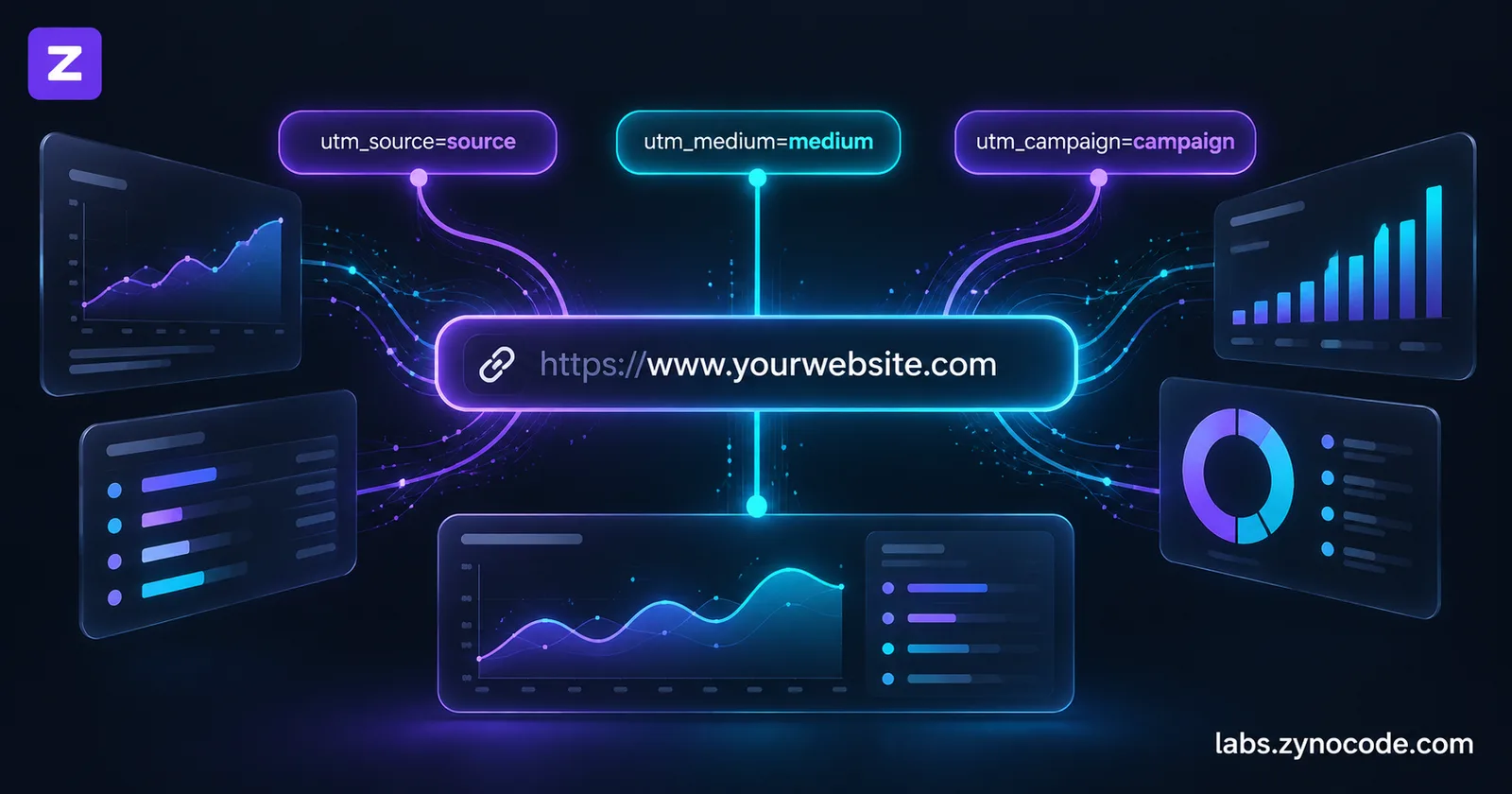
UTM parameters are five standard text tags appended to destination URLs that track marketing campaign effectiveness in Google Analytics 4. By identifying the source, medium, campaign name, term, and content, these parameters allow marketers to see exactly which external links, newsletters, social posts, or ad creatives generate traffic and conversions.
Learning how to structure UTM parameters is critical for accurately measuring marketing performance in Google Analytics 4 (GA4). Without tracking parameters, external traffic from newsletters, social bios, PDF guides, and influencer promotions blends into vague "Direct" or generic "Referral" buckets. Marketers and webmasters can construct clean, tracking-ready links directly in their browser using our free UTM Builder.
utm_source, utm_medium, utm_campaign, utm_term, and utm_content. In GA4, campaign performance is inspected under the Traffic acquisition report. Never use UTM parameters on internal site links, and maintain lowercase formatting across all tags.What Are UTM Parameters? Definition and Purpose
UTM parameters (Urchin Tracking Module parameters) are standardized key-value pairs appended to a website URL to identify the marketing campaign, channel, and source driving inbound visits.
Originally designed for the Urchin web analytics software (which Google acquired in 2005 to form Google Analytics), UTM tags have become the universal standard for digital campaign attribution across platforms.
When a visitor clicks a URL containing tracking parameters, the web browser loads the destination page with the query string intact. The Google Analytics measurement script reads the query parameters, attributes the visit to the specified marketing source and campaign, and populates standard acquisition dimensions.
Anatomy of a Tagged Campaign URL:
https://example.com/pricing ? utm_source=newsletter & utm_medium=email & utm_campaign=spring_sale
\_________________________/ | \_________________/   \_______________/   \__________________/
        Destination         |       Source                Medium              Campaign
          Base URL      Separator   Tag 1                  Tag 2               Tag 3
In standard URL syntax:
- A single question mark (
?) separates the destination web page address from the parameter string. - An ampersand (
&) separates each individual parameter-value pair. - An equals sign (
=) assigns a value to its corresponding parameter key.
The Standard and Advanced UTM Parameters in GA4
Google Analytics 4 recognizes a broad set of campaign parameters. Understanding which tags populate standard reports helps teams design consistent tracking taxonomies.
The Core Parameters Supported by UTM Builders
According to official Google Analytics Help documentation on URL builders: Collect campaign data with custom URLs, the standard parameters include:
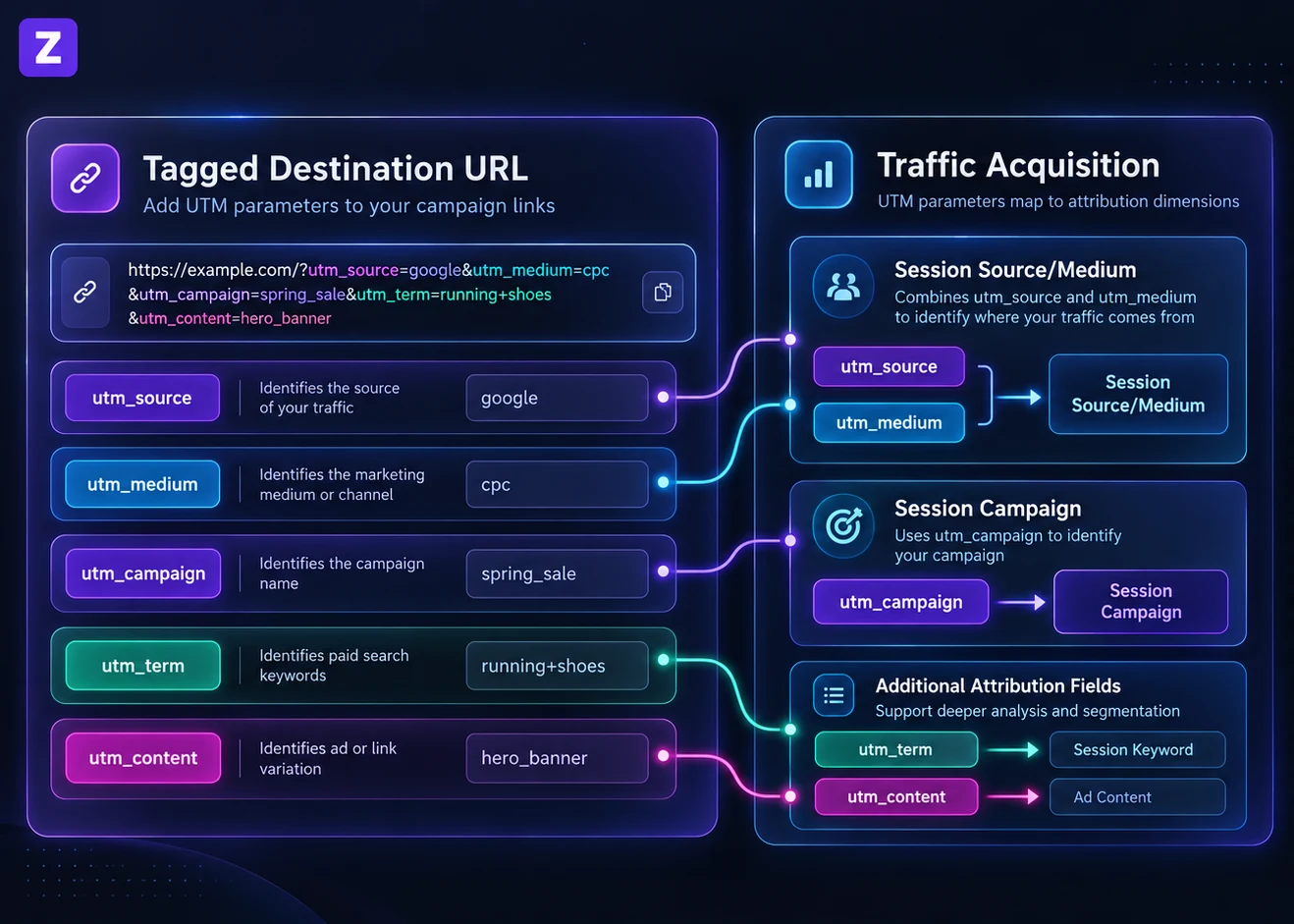
- `utm_source`: Identifies the referrer, platform, or vendor sending traffic to your site (such as
google,newsletter4,facebook, orbillboard). In GA4, this populates the Source, Session source, and First user source dimensions. - `utm_medium`: Identifies the marketing channel or medium type (such as
cpc,banner,email, orsocial). This parameter controls how GA4 maps sessions into default channel groupings. - `utm_campaign`: Identifies the individual product promotion, marketing initiative, or slogan (such as
spring_saleorfree_trial_promo). In GA4, it populates the Campaign, Session campaign, and First user campaign dimensions. - `utm_term`: Identifies paid search keywords or audience targeting criteria. In GA4, it populates the Manual term dimension.
- `utm_content`: Differentiates ad creative variations or alternative links pointing to the same destination URL (for instance, distinguishing a
header_buttonlink from afooter_textlink in an email). In GA4, it populates the Manual ad content dimension.
Newer GA4 Campaign Parameters and Reporting Status
Google Analytics 4 documentation also references newer campaign parameters designed for enterprise cross-channel advertising:
- `utm_id`: A custom campaign identifier used to reconcile visits with uploaded campaign cost data or CRM systems.
- `utm_source_platform`: Identifies the buying or management platform that directs traffic to the property (such as
Search Ads 360orDisplay & Video 360). It populates the Source platform dimension in GA4. - `utm_creative_format`: Used to indicate the creative format (such as
display,native, orvideo). As Google explicitly notes in its documentation, "utm_creative_format isn't currently reported in Google Analytics properties." - `utm_marketing_tactic`: Used to identify targeting criteria (such as
remarketingorprospecting). Like creative format, Google states that "utm_marketing_tactic isn't currently reported in Google Analytics properties."
For standard web campaigns, sticking to the core five parameters (source, medium, campaign, term, content) keeps reporting simple and consistent. In practice, always set at least source, medium, and campaign.
Real Channel Examples: Constructing Campaign Links
Different marketing channels require distinct parameter combinations to keep acquisition reports organized.
1. Email Newsletters
Email traffic should always specify the newsletter issue or list segment:
- Base URL:
https://example.com/blog/seo-checklist - Source:
weekly_newsletter - Medium:
email - Campaign:
october_roundup - Content:
hero_cta_button - Result:
https://example.com/blog/seo-checklist?utm_source=weekly_newsletter&utm_medium=email&utm_campaign=october_roundup&utm_content=hero_cta_button
2. WhatsApp and Messaging Broadcasts
Direct messaging campaigns should be distinguished from organic social sharing:
- Base URL:
https://example.com/deals - Source:
whatsapp - Medium:
chat - Campaign:
festive_discount - Content:
broadcast_list_a - Result:
https://example.com/deals?utm_source=whatsapp&utm_medium=chat&utm_campaign=festive_discount&utm_content=broadcast_list_a
3. Instagram and TikTok Bio Links
Social profiles often drive traffic from a single link in the profile biography. You can draft the caption that goes with it, and check each platform's character limit, in our Social Media Formatter:
- Base URL:
https://example.com/products - Source:
instagram - Medium:
social_bio - Campaign:
creator_profile - Result:
https://example.com/products?utm_source=instagram&utm_medium=social_bio&utm_campaign=creator_profile
4. Offline Print and Physical QR Codes
When placing links on event banners, restaurant table tents, or printed product packaging, pair your tagged URL with our QR Code Generator:
- Base URL:
https://example.com/menu - Source:
table_tent - Medium:
qr - Campaign:
fall_specials - Result:
https://example.com/menu?utm_source=table_tent&utm_medium=qr&utm_campaign=fall_specials
Team Naming Conventions Table
Inconsistent naming is a common cause of messy analytics reports. Establishing uniform rules across your marketing team keeps campaign data clean:
| Dimension / Element | Best Practice Rule | Correct Example | Incorrect Example (Avoid) |
|---|---|---|---|
| Letter Case | Always use lowercase; GA4 is case-sensitive | utm_medium=email | utm_medium=Email or utm_medium=EMAIL |
| Separators | Use underscores or hyphens; avoid spaces | spring_sale_2026 | spring%20sale%202026 |
| Source Definition | Name the specific platform, domain, or list | utm_source=linkedin | utm_source=social_media |
| Medium Definition | Name the general marketing medium or channel | utm_medium=cpc | utm_medium=google_ads_search |
| Special Characters | Use clean alphanumeric text without symbols | promo-discount | promo&discount#1 |
When generating URLs that require clean hyphenated slugs, our URL Slug Generator helps format campaign names consistently, while our URL Encoder handles escaping special characters safely.
Where to Find UTM Campaign Data in Google Analytics 4
After publishing tagged URLs, tracking data begins appearing in GA4 reports.
According to Google Analytics Help documentation on the [[GA4] Traffic acquisition report](https://support.google.com/analytics/answer/12923437), follow these steps to review incoming campaign traffic:
- Sign in to your Google Analytics account.
- In the left-hand navigation menu, click Reports.
- Under the Life cycle or Business objectives collection, select Acquisition, then click Traffic acquisition.
- The default primary dimension in this report is Session default channel group.
- To view your custom campaign tags, click the dimension dropdown arrow and switch to Session source / medium, Session source, or Session campaign.
- To inspect ad content or keyword terms, click the blue + (plus icon) beside the primary dimension column and add Session manual ad content (
utm_content) or Session manual term (utm_term) as a secondary dimension.
Understanding Session vs. User Attribution Scopes
GA4 provides two primary acquisition reports that interpret UTM tags differently:
- Traffic Acquisition (Session Scope): Reports the campaign source that initiated each specific session. If a user visits from an email newsletter today, their session is attributed to that email.
- User Acquisition (User Scope): Reports the campaign source that brought the user to your property on their very first visit. This provides first-touch attribution for user acquisition.
Common UTM Tracking Mistakes to Avoid
Avoid these frequent tagging mistakes that compromise analytics integrity:
- Tagging Internal Website Links: Never add UTM parameters to banners, navigation buttons, or sidebar links on your own website. Unlike the older Universal Analytics, GA4 does not start a new session when campaign values change mid-visit, but the internal tags still replace the real source as the latest campaign. Conversions that follow can be credited to your own banner instead of the email, ad, or search that brought the visitor. Track internal promotions with events instead.
- Inconsistent Parameter Casing: Because GA4 treats uppercase and lowercase strings as separate dimensions,
facebook,Facebook, andFACEBOOKappear as three separate rows, fragmenting your campaign metrics. Enforce lowercase strings across all tools. - Swapping Source and Medium: Putting
utm_source=emailandutm_medium=newsletterbreaks GA4's default channel grouping rules. Source should represent the platform (newsletter), and medium should represent the channel vehicle (email). - Storing Sensitive Data (PII): Google Analytics Terms of Service strictly forbid collecting personally identifiable information. Never pass customer email addresses, usernames, or phone numbers in UTM strings.
How Our Free UTM Builder Works
Our free browser-based UTM Builder streamlines link creation while protecting campaign privacy:
- Clean Form Inputs: Provides dedicated fields for Website URL, Campaign Source, Campaign Medium, Campaign Name, Campaign Term, and Campaign Content.
- Graceful Parameter Handling: Built using native browser URL APIs, the tool automatically appends
https://if omitted, checks URL validity, and preserves any existing query strings on your destination link. - One-Click Actions: Includes instant "Copy to clipboard" copying, a "Reset Form" button to clear fields, and a "Test Link" preview button that opens the generated URL in a new tab.
- Client-Side Privacy: The entire generation process executes locally in your browser. No URLs, campaign strategies, or client domains are ever sent to Zynocode servers.
Summary
UTM parameters turn fragmented website traffic into structured, actionable business intelligence. By establishing consistent lowercase naming conventions, avoiding internal link tagging, and configuring the core parameters correctly, your team can measure ROI across every digital campaign in Google Analytics 4.
Ready to build your next campaign link? Generate error-free tracking links with our free browser-based UTM Builder, verify your parameters, and monitor your traffic in GA4. For more tutorials on digital analytics and web utility tools, explore our full library of developer and writer guides.
Frequently asked questions
What are the five standard UTM parameters?+
The five standard parameters are utm_source (platform or referrer), utm_medium (marketing channel type), utm_campaign (campaign name or promotion), utm_term (paid search keyword), and utm_content (ad creative or link variation).
Are UTM parameters case-sensitive in Google Analytics 4?+
Yes. Google Analytics 4 treats uppercase and lowercase values as separate entries. For example, 'Email', 'email', and 'EMAIL' appear as three distinct rows in reports. Always use lowercase letters across all parameters.
Where do I see UTM campaign data in GA4?+
Navigate to Reports > Acquisition > Traffic acquisition in GA4. Change the primary dimension to 'Session source / medium' or 'Session campaign' to view the performance of your tagged marketing links.
Why should you never put UTM parameters on internal website links?+
UTM tags on internal links make GA4 record your own site as a new campaign source. The visit's real source (search, email, ads) can then lose credit for later conversions, and your campaign reports fill up with internal clicks. Use event tracking for internal banners instead.
Does our online UTM builder transmit URLs to a server?+
No. Our UTM builder executes entirely in your browser using standard JavaScript URL parsing APIs. Your destination links, campaign names, and query parameters remain completely private on your device.

Prashant Sharma · Founder & Technology Strategist
Prashant Sharma is the founder of Zynocode IT Solutions, specializing in web development, SEO tooling and generative AI workflows.